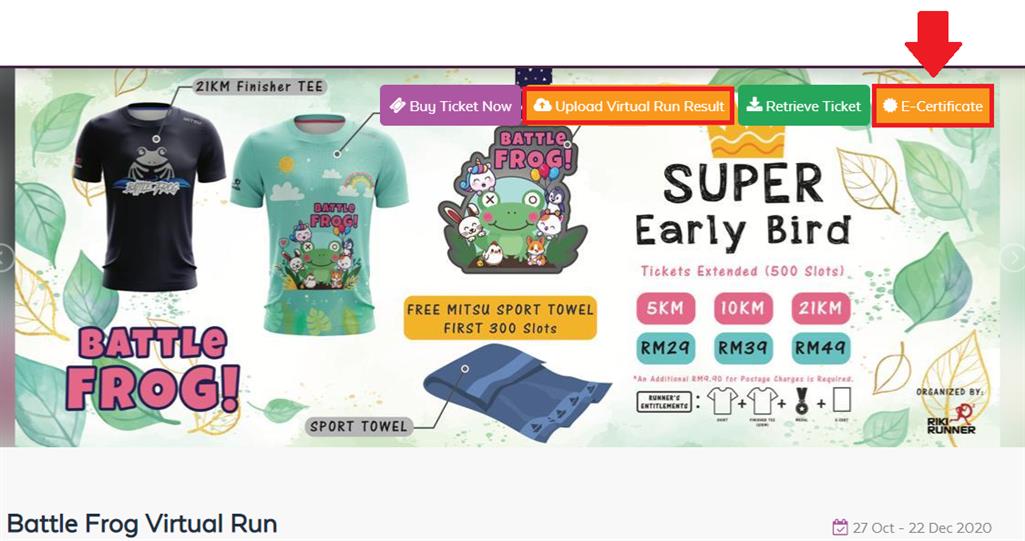
Event Information
Event Name | Battle Frog Virtual Run |
Registration Period | 27/10/2020 - 20/12/2020 |
Challenge Period | 27/10/2020 - 20/12/2020 |
Upload Virtual Result Period | Submit your result to Ticket2U before 22/12/2020 (5.00pm) |
Courier Postage Date | Estimate 22/12/2020 Onward |
Distance | 5KM, 10KM & 21KM |
Venue & Time | Anywhere; Any Time |
Event Organizer Name & Logo | Riki Runner |
Registration Closing date | 20/12/2020 |
Description
Battle Frog virtual Run is a event organized by Riki Runner Sport Company. This virtual run is open for whole Malaysia and you can run anytime, anywhere you liked.
Category & Fees- Super Early Bird (500 slot)
1) West Malaysia and East Malaysia
Categories | Normal |
5km | RM29.00 |
10km | RM39.00 |
21km | RM49.00 |
*Price NOT INCLUSIVE of RM9.90 delivery charges for East and West Malaysia
Finisher Entitlement
| 5KM | 10KM | 21KM |
|---|
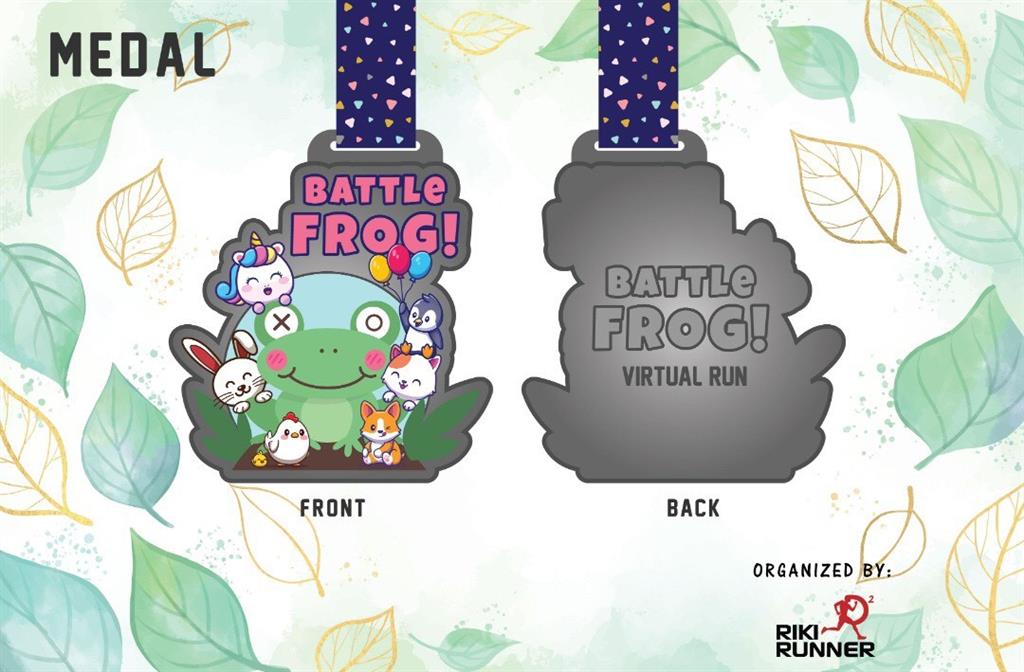
Custom zinc alloy Medal
| ✔ | ✔
| ✔
|
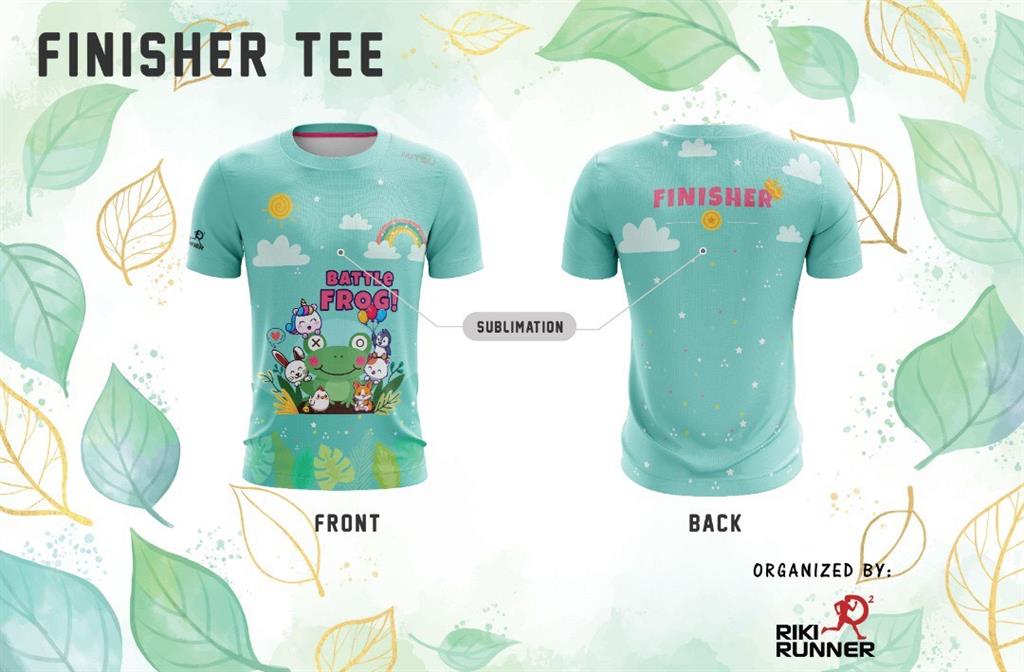
Finisher Tee (Mitsu sport brand)
| ✔
| ✔
| ✔
|
| E-Ecert | ✔
| ✔
| ✔
|
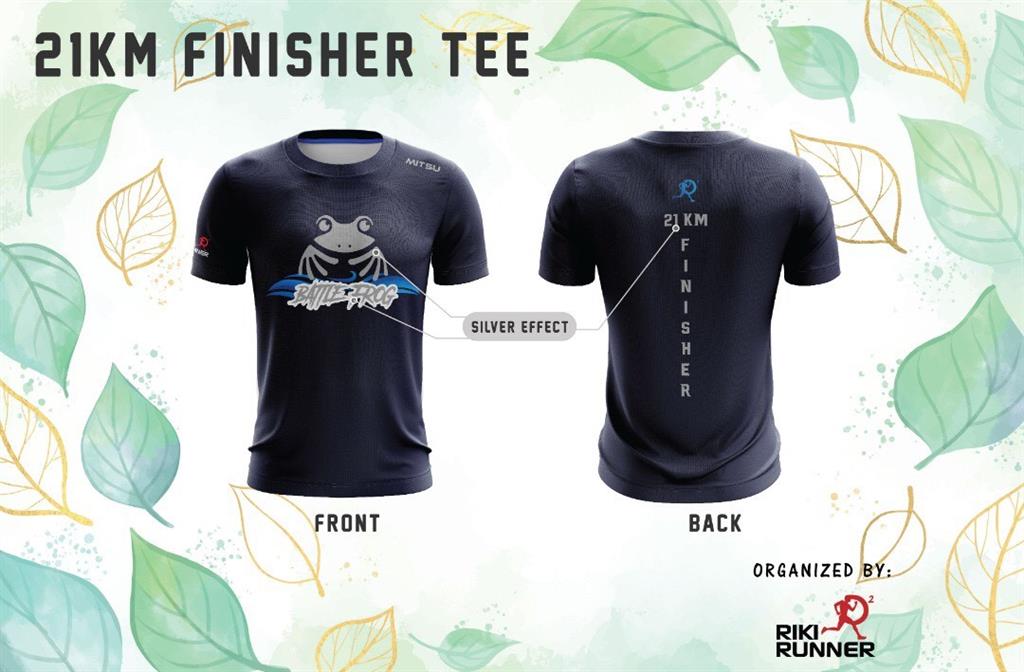
21KM Finisher Tee (limited edition)*- silver effect print
| ✖
| ✖
| ✔
|
NOTE:
Riki early bird, FREE Mitsu Sport Towel worth RM 29.90(For 1st 100 participant on each categories). LIKE our Facebook page (Riki RUnner)
FB: https://www.facebook.com/Riki-Runner-118935169980836/ |
Run Methods :
You can track your distance by using the following methods:
1. Running outdoor with Running app (all app is accepted)
2. Running indoors on a treadmill
3. Steps counters (1KM = 1500 steps, 5KM = 7500steps, 10KM = 15,000 steps, 21KM = 31,500 steps)
*The result can be accumulated by multiple runs/steps, which must be completed within the running period.
T-Shirt Size Chart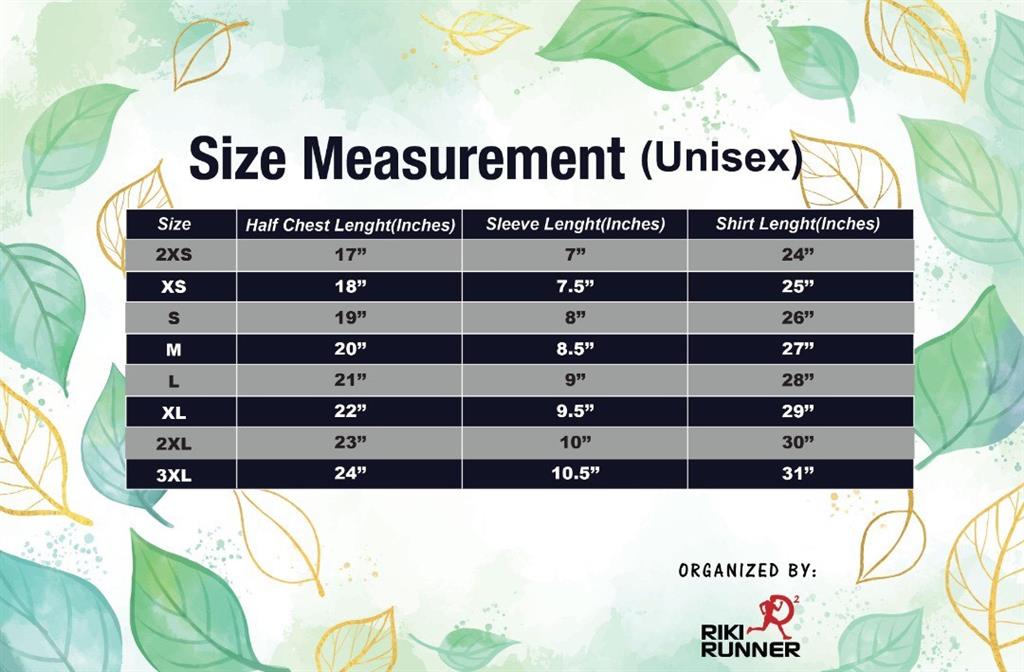 5KM, 10KM & 21KM Finisher Tee
21KM Finisher Tee
Medal Design
How to upload Virtual Run Result
Step 1: Go to https://www.ticket2u.com.my/event/23215
Step 2: click on <Upload Virtual Run Results>
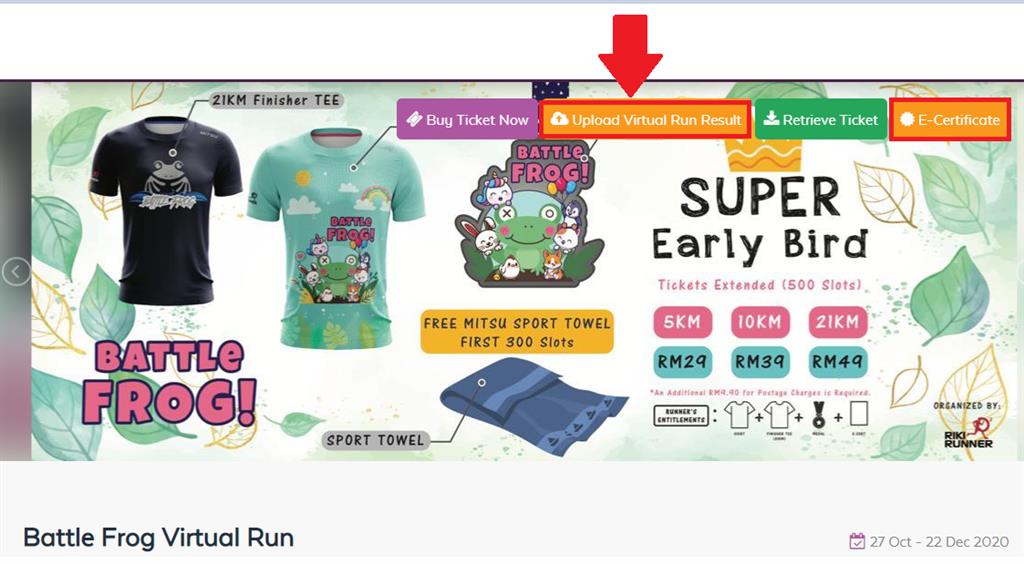
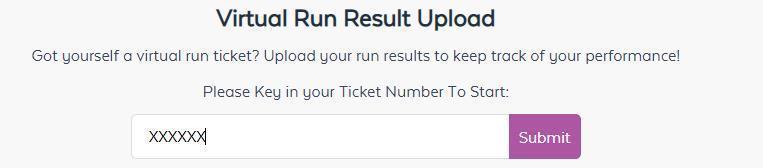
Step 3: Key in your <Ticket Number>.
 NOTE: The ticket number is in your e-ticket under QR Code. Refer to image below.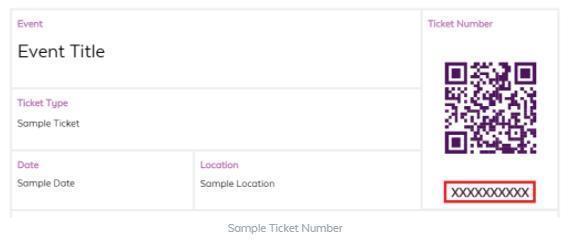
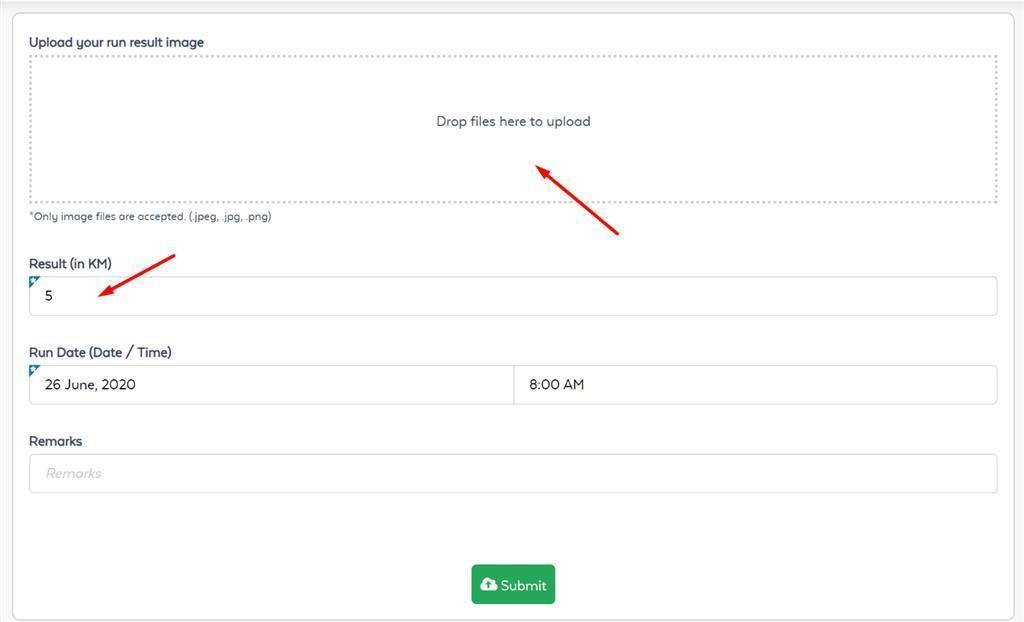
Step 4: Upload your screenshot of your running proved, insert your distance then submit. If you have completed your distance, system will show 100% and hooray!
How to download e-cert
Step 1: COMPLETE 100% YOUR CHALLENGE. Go to www.ticket2u.com.my/event/23215
NOTE: Incomplete challenge you are not entitled for download the e-certificate.
Step 2: Click on <E certificate> and key in your "Ticket Number".
NOTE: The ticket number is in your e-ticket under QR Code.